
From the main menu press the icon with the dots in the bottom-right hand corner of the screen.
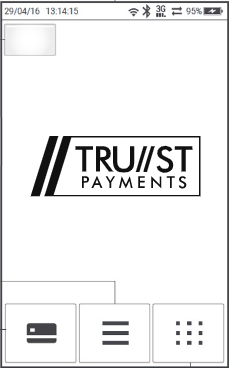
Select Settings.
.jpg?width=190&height=303&name=rtaImage%20(2).jpg)
Select Tip Entry - (note that you may need to press the down arrow on screen for the option to appear)..jpg?width=201&height=353&name=rtaImage%20(16).jpg)
Select which option is required:
On Request - Every time you take a payment the terminal will ask if a customer receipt is required. Red button for no, or green button for yes.
Only when mandatory - Will only print a receipt when the customer needs to sign it.
Always Print - Every transaction (whether it be chip-and-pin or contactless) will print a customer copy as well by default.
No Customer Receipt Option Present? - If your terminal is linked to an EPOSNOW till this option cannot be toggled. Otherwise from the main screen (Trust logo with 3 icons) select the icon with the dots in the bottom-right hand corner of the screen, select Admin, enter your supervisor password and press the green button, select Unpair with POS. Press the red button until you are back at the initial Trust screen. hold down the eye icon (above the red button on the keypad) and press restart. Repeat the steps above