
As long as your account is setup for GPRS the SIM card should connect automatically out-of-the-box.
The terminal will show 4G or 3G in the top-right hand corner of the screen to show that it is connected.
If this is not the case please follow the steps below:
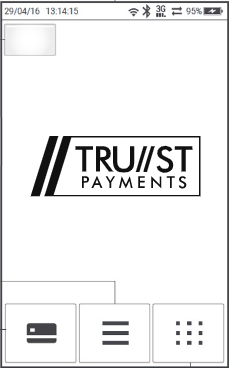
From the main menu press the icon with the dots in the bottom-right hand corner.
Select Network..jpg?width=190&height=303&name=rtaImage%20(2).jpg)
The terminal should display "mobile data info" as the top option (this means it is set for a GPRS connection). If it doesn't select change connectivity and then mobile data before proceeding.
Select Settings..jpg?width=202&height=355&name=rtaImage%20(8).jpg)
The terminal should then prompt for the APN to be entered. The APN is mobius.m2m (all lower case). If you are based outside of the UK the APN is aevi.m2m. You will need to keep pressing the corresponding number on the keypad. It will cycle through lower letters first, then upper case followed by the corresponding number as you keep pressing it.
If the letters are not present on the keypad use the key below:
1 - Q, Z
2 - A, B, C
3 - D, E, F
4 - G, H, I
5 - J, K, L
6 - M, N, O
7 - P, R, S
8 - T, U, V
9 - W, X, Y
0 - Symbols
# - Symbols
.jpg?width=640&height=363&name=rtaImage%20(9).jpg)
Once entered press the green button.
.jpg?width=202&height=354&name=rtaImage%20(10).jpg)
The terminal should then display 4G/3G at the top of the screen if connected successfully.
For connection troubleshooting click here