
From the main menu press the card icon in the bottom-left hand corner of the screen.
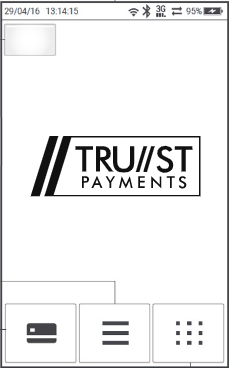
Select Refund..jpg?width=201&height=320&name=rtaImage%20(2).jpg)
This will prompt for a supervisor password. Press the green button once entered.
.jpg?width=201&height=352&name=rtaImage%20(3).jpg)
Enter the amount using the terminal keypad and press the green button.
.jpg?width=201&height=352&name=rtaImage%20(1).jpg)
When the terminal prompts for the card to be presented press the yellow button on the keypad.
This will display an option for manual entry. Press it.
.jpg?width=201&height=353&name=rtaImage%20(4).jpg)
If the manual entry option does not appear please e-mail tech.support@card-saver.co.uk for assistance.
The terminal will prompt you to enter the card details step-by-step. Press the green button after each stage to proceed.
If the payment declines, re-attempt the transaction in the first instance to ensure that the card details entered are correct. Otherwise please look at connection troubleshooting.